
This post continues our AI Factory series, which we started with automated deployment using OneDeploy and continued with LLM inference using the vLLM appliance. Here we introduce the new guide that shows how to run simple LLM fine-tuning on GPU-equipped workers using the Slurm appliances from the OpenNebula Marketplace, adding HPC-style job scheduling to the AI Factory Blueprints. The blueprints give you a reproducible path from deployment (on premises or cloud on Scaleway) to validation simple AI Factories: Direct AI Execution with vLLM or Slurm, or Containerized AI Execution with AI-ready Kubernetes, NVIDIA Dynamo, and the NVIDIA KAI Scheduler.
Slurm in this blueprint targets AI model training (batch and fine-tuning jobs on GPU workers), while inference is covered by other blueprint components such as vLLM or Kubernetes-based serving.
Slurm (Simple Linux Utility for Resource Management) is the dominant workload manager in HPC environments, used in more than half of the top 10 and top 100 systems on the TOP500 list. As AI clusters grow larger and more powerful, efficient queuing, scheduling, and allocation of GPU resources becomes critical for model training, and that’s exactly what Slurm delivers. While for inference, the blueprints rely on other tools (e.g. vLLM or Kubernetes-based serving), now you can run a full Slurm cluster on OpenNebula, and use it to schedule and execute training jobs such as LLM fine-tuning on GPU-equipped workers, making it a good fit for HPC research centers and teams focused on AI model training.
Why Slurm on OpenNebula?
When Slurm on OpenNebula is used in HPC research centers or large AI research labs, responsibilities typically fall into two roles:
- Admin perspective: The administrator is responsible for creating and managing Slurm clusters dynamically on OpenNebula and for integrating them with the HPC center. This includes user management (e.g. LDAP/SSO, project and quota management) and shared file systems (e.g. NFS, Lustre, or similar) for users’ home directories, datasets, and software, so that jobs running on any worker can access the same environment and data.
- User perspective: Researchers and data scientists use standard Slurm commands such as
srunandsbatchwith queues to submit training jobs. They see a familiar HPC interface; the on-demand resources are provisioned and managed by the admin, so users focus on their workloads rather than infrastructure.
By running Slurm inside OpenNebula, you combine a familiar HPC scheduling model with cloud-level agility:
- GPU passthrough delivers bare-metal performance to Slurm workers for training and fine-tuning.
- Elastic scaling: spin up additional workers from a template when demand spikes, and release them when the queue is empty.
- Marketplace appliances: the Slurm Controller and Slurm Worker are available as ready-to-use appliances in the OpenNebula Marketplace. Deploy a Slurm working cluster in just a few minutes.
- Unified management: provision and manage GPU VMs for model training, run batch fine-tuning jobs via Slurm, and use the same platform for inference (e.g. vLLM or Kubernetes with Dynamo or KAI), all from a single OpenNebula deployment, simplifying IT operations and reducing overhead for AI teams.
For AI Factories and HPC research centers, this means you can offer researchers and data scientists a familiar HPC interface for training workloads, while the underlying compute resources are provisioned and managed through OpenNebula.
A Simple Demo to Get You Started
We’ve published a new guide that walks you through a minimal Slurm setup for LLM fine-tuning. You’ll:
- Deploy the Slurm Controller appliance from the OpenNebula Marketplace.
- Deploy a Slurm Worker with an attached GPU and an example fine-tuning script (using Unsloth for demonstration on a small model).
- Submit the fine-tuning job from the controller with a single
sruncommand.
The appliances handle Munge authentication and OpenNebula OneGate integration automatically, so the cluster is ready to use without manual wiring.
The blueprint guide is a simple demo designed to get you started quickly: you play both roles (deploying the cluster and submitting a job) to see the full workflow. Production deployments can build on this pattern using your chosen identity management and storage technology stacks.
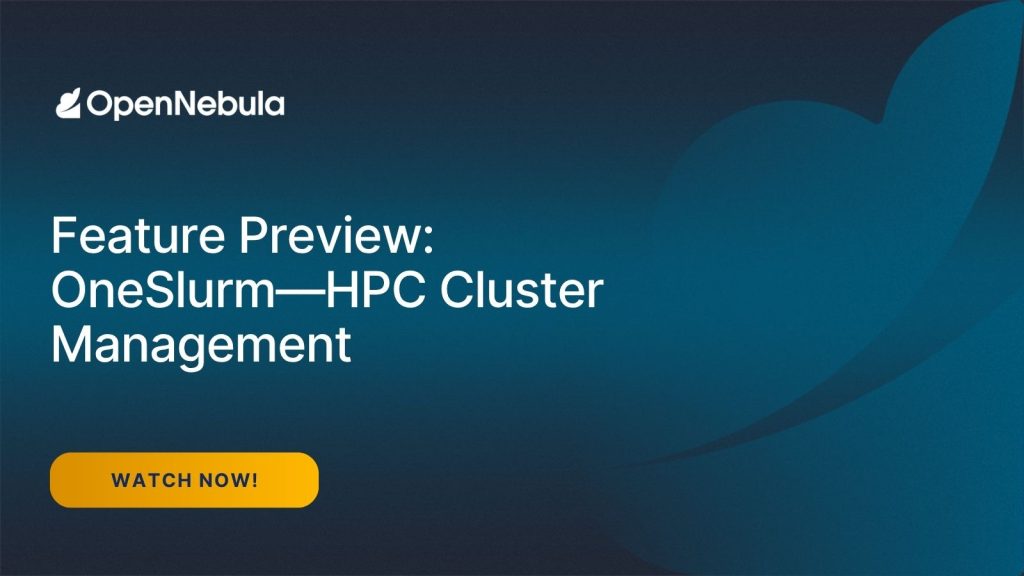
Preview: OneSlurm for Managed Slurm on OpenNebula
The Slurm appliances introduced in this guide are the first step toward a more integrated Slurm experience in OpenNebula AI Factory environments. OpenNebula Systems is currently working on OneSlurm, an upcoming component designed to simplify the deployment, operation, and lifecycle management of Slurm clusters on OpenNebula-managed infrastructure.
With OneSlurm, the goal is to move beyond appliance-based deployment and provide a more automated and integrated way to manage Slurm environments for AI training and HPC workloads. OneSlurm is being designed to help administrators create, scale, monitor, and operate Slurm clusters from OpenNebula, while preserving the familiar Slurm user experience for researchers, data scientists, and AI engineers.
This will make it easier for AI Factories and HPC centers to offer Slurm-based training environments as part of a broader AI service portfolio, alongside GPU-as-a-Service, Kubernetes-based AI workloads, and LLM inference services through OneLLM.
A preview screencast of OneSlurm is available for users and partners interested in seeing the direction of this integration. If you would like early access to the preview or want to discuss how OneSlurm could fit into your AI Factory or HPC environment, please contact the OpenNebula team.
Virtual Machines, Bare-Metal Performance
By default, the Slurm appliances run inside OpenNebula-managed virtual machines. This provides isolation, multi-tenancy, image-based provisioning, lifecycle management, and elastic scaling, while GPU access is provided through PCI passthrough for near-native accelerator performance.
For distributed AI and HPC workloads, OpenNebula can also expose high-performance networking such as NVIDIA Quantum InfiniBand through SR-IOV or PCI passthrough. OpenNebula internal benchmarks have shown near-native performance, with effectively no measurable overhead in MPI tests over InfiniBand compared to bare metal.
For workloads or environments that require a pure bare-metal model, OpenNebula is also expanding its integration with the NVIDIA Infra Controller (NiCo), enabling bare-metal GPU server provisioning and lifecycle management from the same OpenNebula platform.
What You Can Do Next
Once your Slurm cluster is running, you can scale it with more GPU workers and submit larger training jobs. This feature is aimed mainly at AI model training in HPC research environments. For inference, the AI Factory Blueprints offer vLLM, Kubernetes with NVIDIA Dynamo, or the KAI Scheduler, all on the same OpenNebula deployment.
Ready to bring HPC scheduling to your AI Factory? Get started quickly and accelerate your model training:
- Follow the guide: How to fine-tune LLMs using Slurm
- Access the Slurm Appliance: Controller, Worker, and Documentation
- Explore the full AI Factory Blueprints
- Join the discussion on the OpenNebula Community Forum.
If you’re attending ISC High Performance 2026, we’ll also be running a demo booth where we’ll showcase these AI Factory capabilities in action—feel free to stop by to see the setup live and talk with the team.

0 Comments